
SpookyPass
HackTheBox Challenge Writeup
If you're dipping your toes into the world of reverse engineering and looking for a challenge that’s both fun and beginner-friendly, the Spookypass challenge from Hack The Box is a perfect start. With a spooky theme and a simple binary to analyze, this challenge teaches the basics of binary inspection and string analysis. Let’s walk through how to solve it — step by step.
Step 1: Preliminary File Analysis
As with any binary, I began by confirming the file type and architecture using the file command.
file pass
Output:
pass: ELF 64-bit LSB executable, x86-64, dynamically linked
Step 2: Unzipping SpookyPass
Simultaneously unzipping the SpookyPass.zip using command
unzip SpookyPass.zip
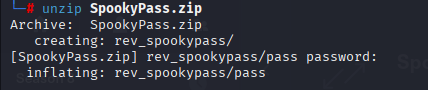
On unzipping we got these

On checking permissions i can see it’s executable

Step 3: Lets run it
when running the spookypass, it was asking for password
Step 4: Static String Analysis
Given the challenge’s easy rating, I suspected the password might be stored in clear text. For low-effort binaries, this is a common technique used to simulate basic reverse engineering tasks without requiring disassembly.
strings pass
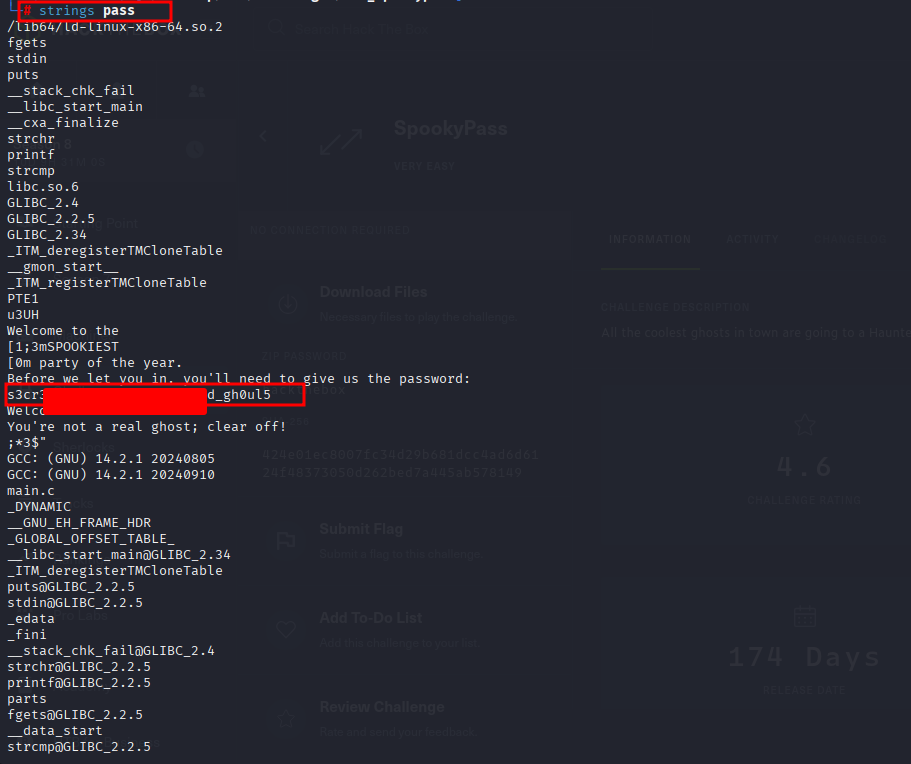
Reviewing the output manually, I spotted an anomalous string that stood out due to its format and length:
s3cr3t_p***_***_******_4**_****l5
This string didn’t resemble standard output like UI prompts or error messages — it looked intentionally crafted to be a password. The structure (substituted characters, spooky theme) aligned with the challenge title (Spookypass), so it was a high-confidence lead.
Step 5: Lets run it again
When ran with same password which we got, it gave me flag
